Many employees in Denmark bring their own lunch box every day. At the same time, companies are under pressure to reduce their carbon footprint and engage employees in sustainability.
Can one simple lunch box become a daily touchpoint between employees and the company’s green goals?
Company goal
Reduce carbon footprint and engage staff in green initiatives.
User problem
People struggle to see their personal impact
Don’t feel connected to the company's climate targets.
Solution Overview
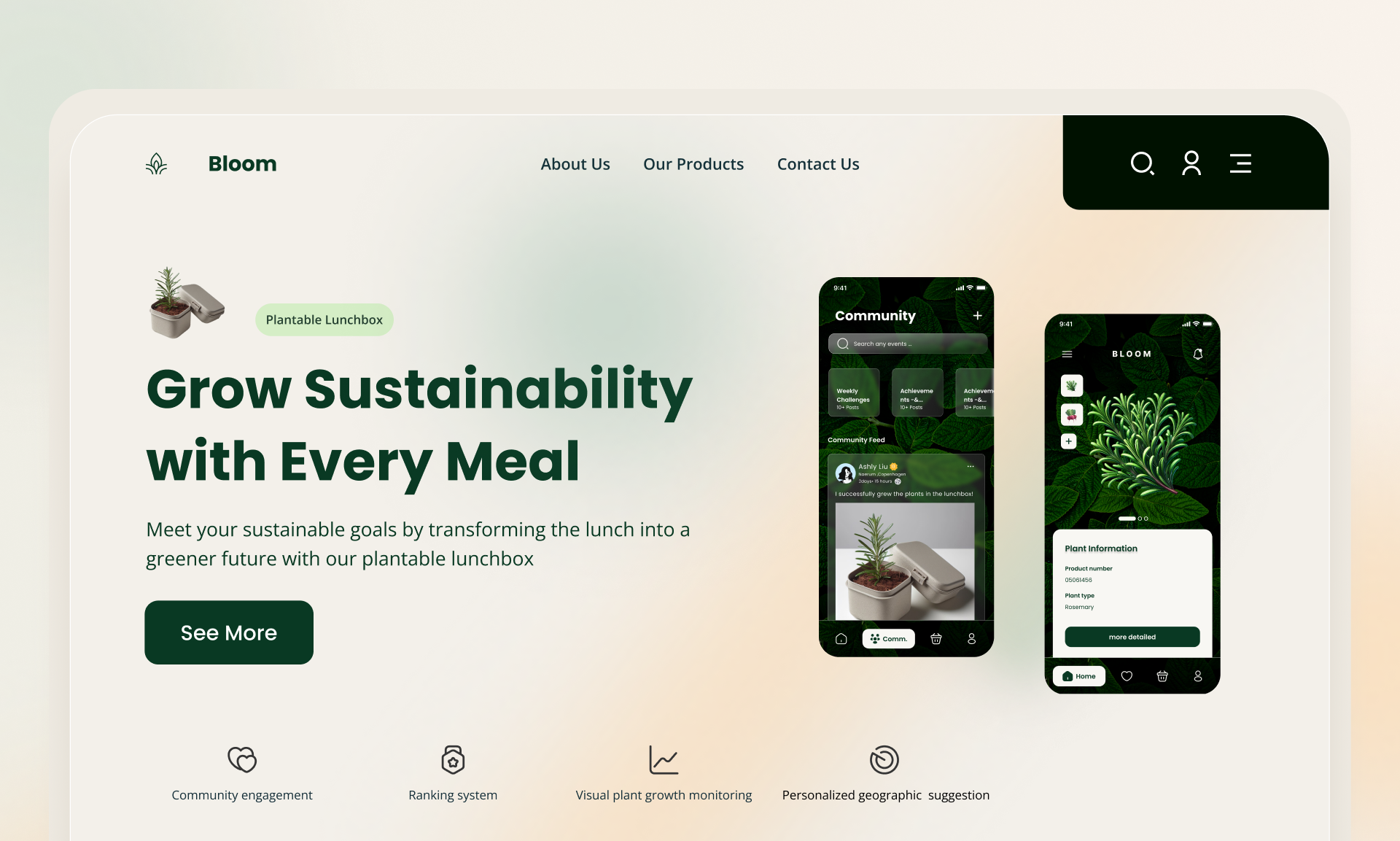
A Lunchbox and an App
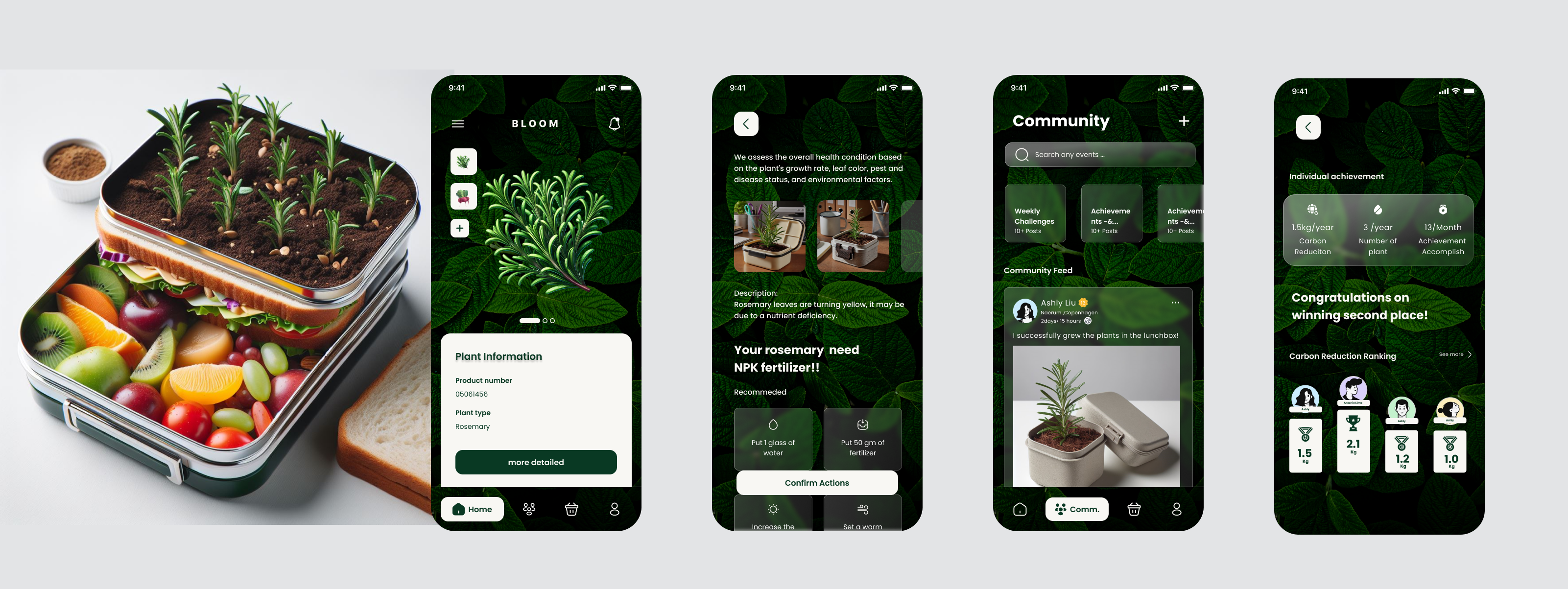
AI-generated concept rendering showing the two-layer Bloom lunchbox (herbs on top, food at the bottom).
A plantable lunchbox with seeds embedded in the lid, activated when users heat their meal.
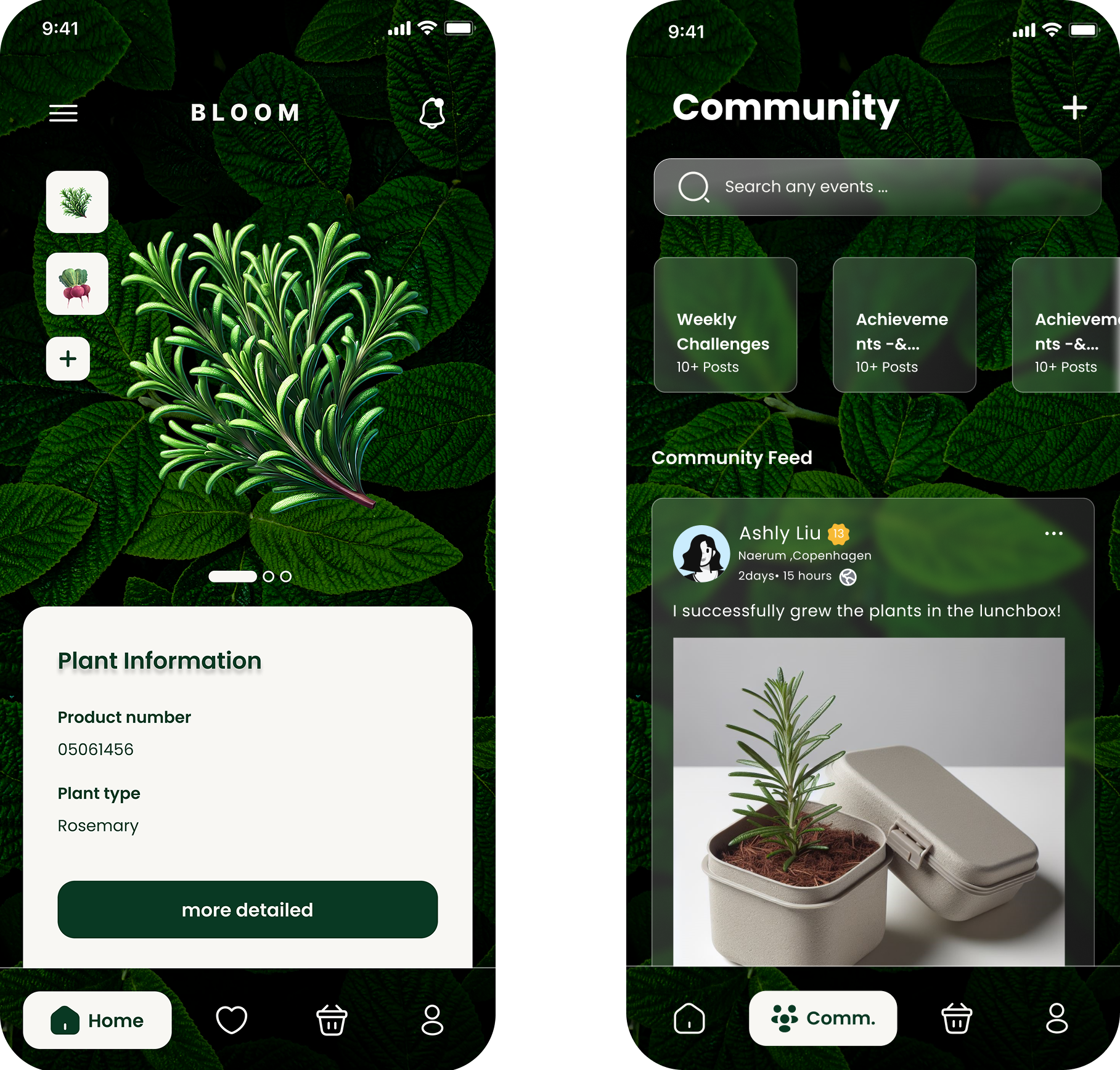
A companion mobile app that gives local planting tips, tracks growth, and visualises CO₂ reduction.
Community features and challenges that turn individual actions into shared impact at company level.
My role & responsibilities
Co-defined the concept and value proposition with the team.
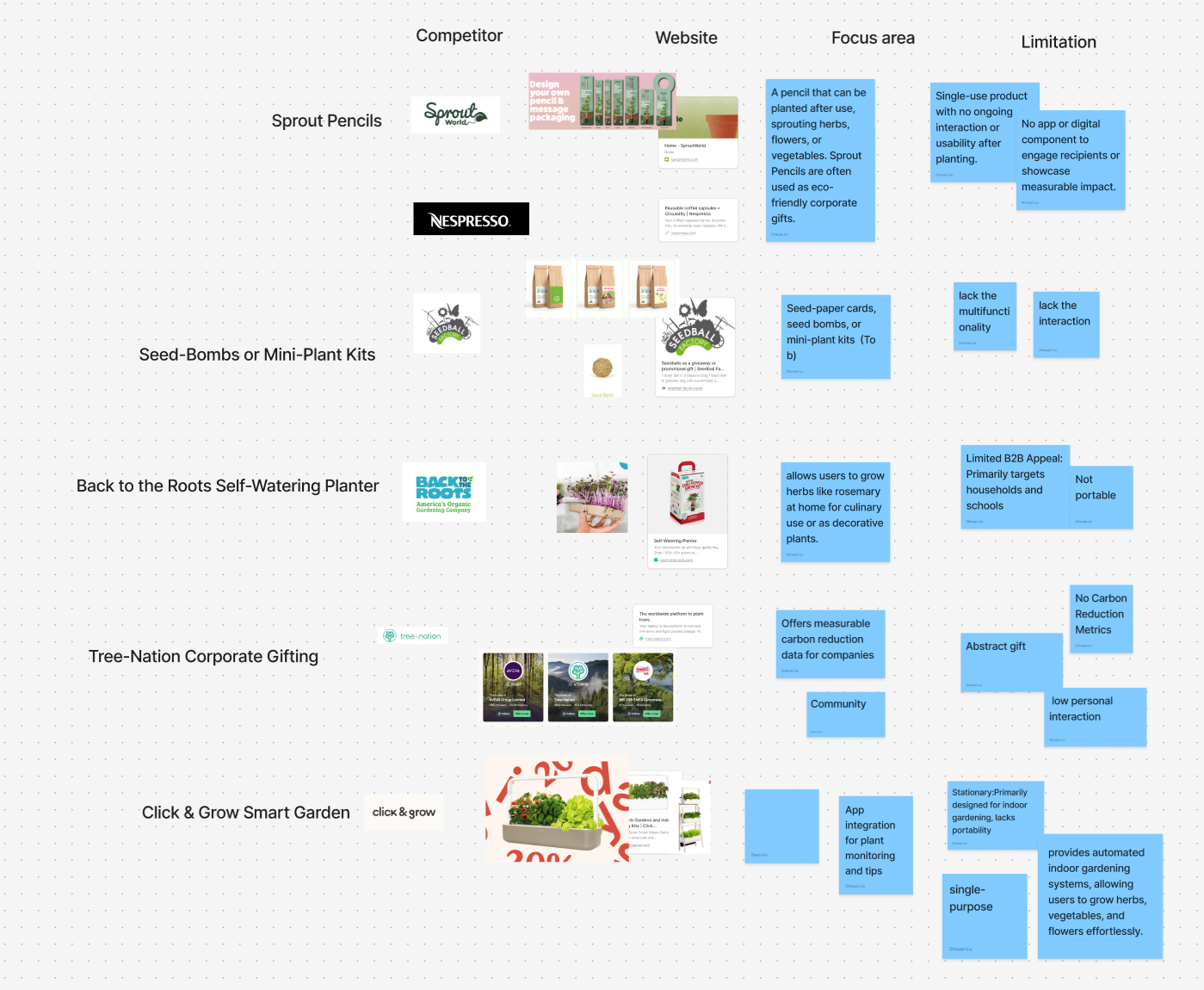
Led market & competitor research and synthesised key insights.
Created user stories and information architecture for the app.
Designed and iterated high-fidelity prototypes in Figma.
Planned and ran usability tests (think-aloud with 7 participants) and turned feedback into design changes.
Process overview
Market Research
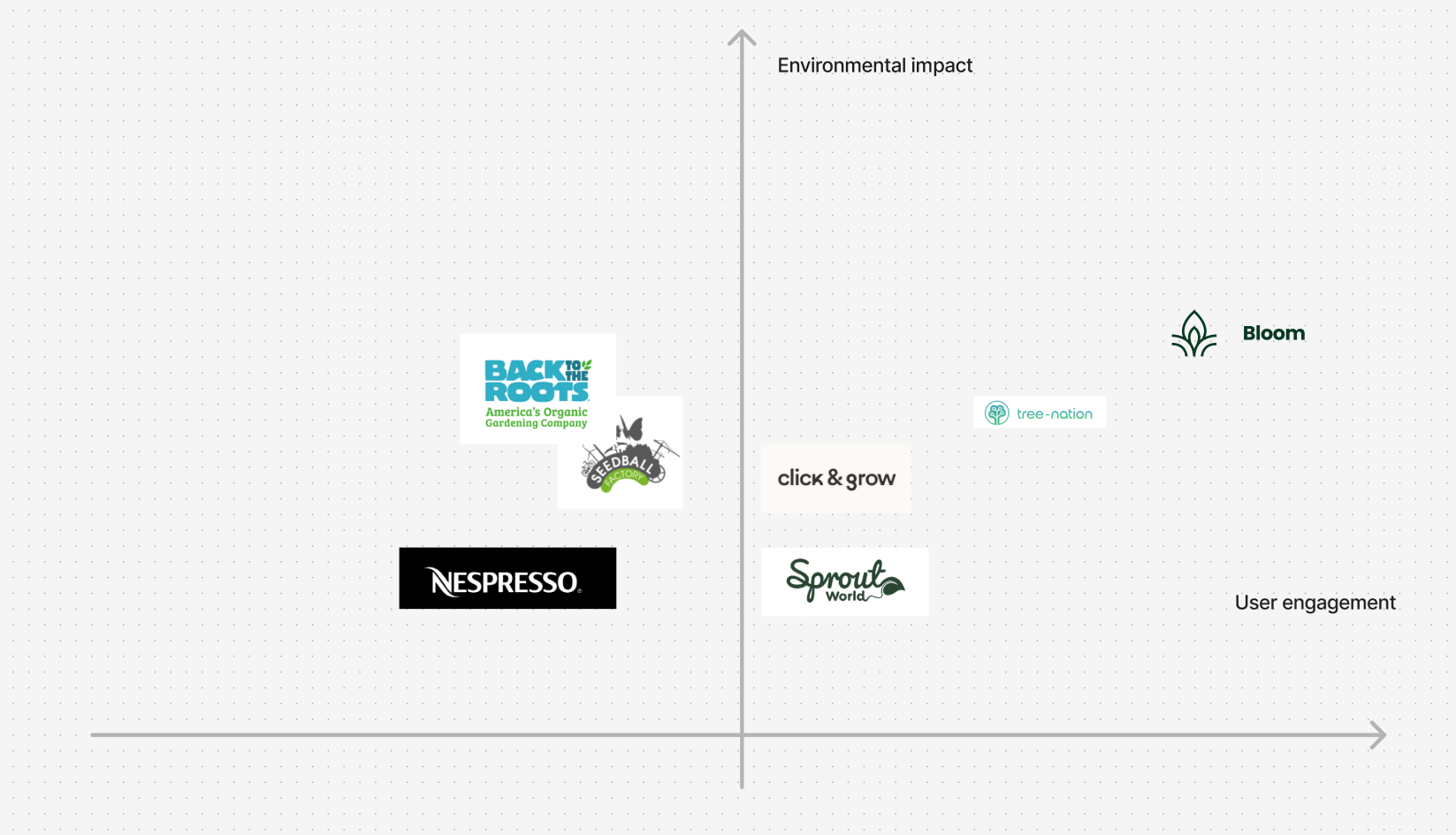
I mapped existing products (e.g., Sprout pencil and workplace wellbeing apps) on a 2×2 matrix of environmental impact and user engagement.
Bloom aims for the top-right corner: high impact and high engagement embedded in a daily routine (lunch).
Bloom aims for the top-right corner: high impact and high engagement embedded in a daily routine (lunch).
Defining the product: Lean Canvas & UVP
Lean Canvas
Key Problems:
low awareness of personal impact
weak connection to company goals
lack of tangible green actions in everyday routines.
Our UVP
turn the everyday lunch break into a small but visible climate action, supported by data and community.
UX design:User stories & IA
User Story Map
Key functions:
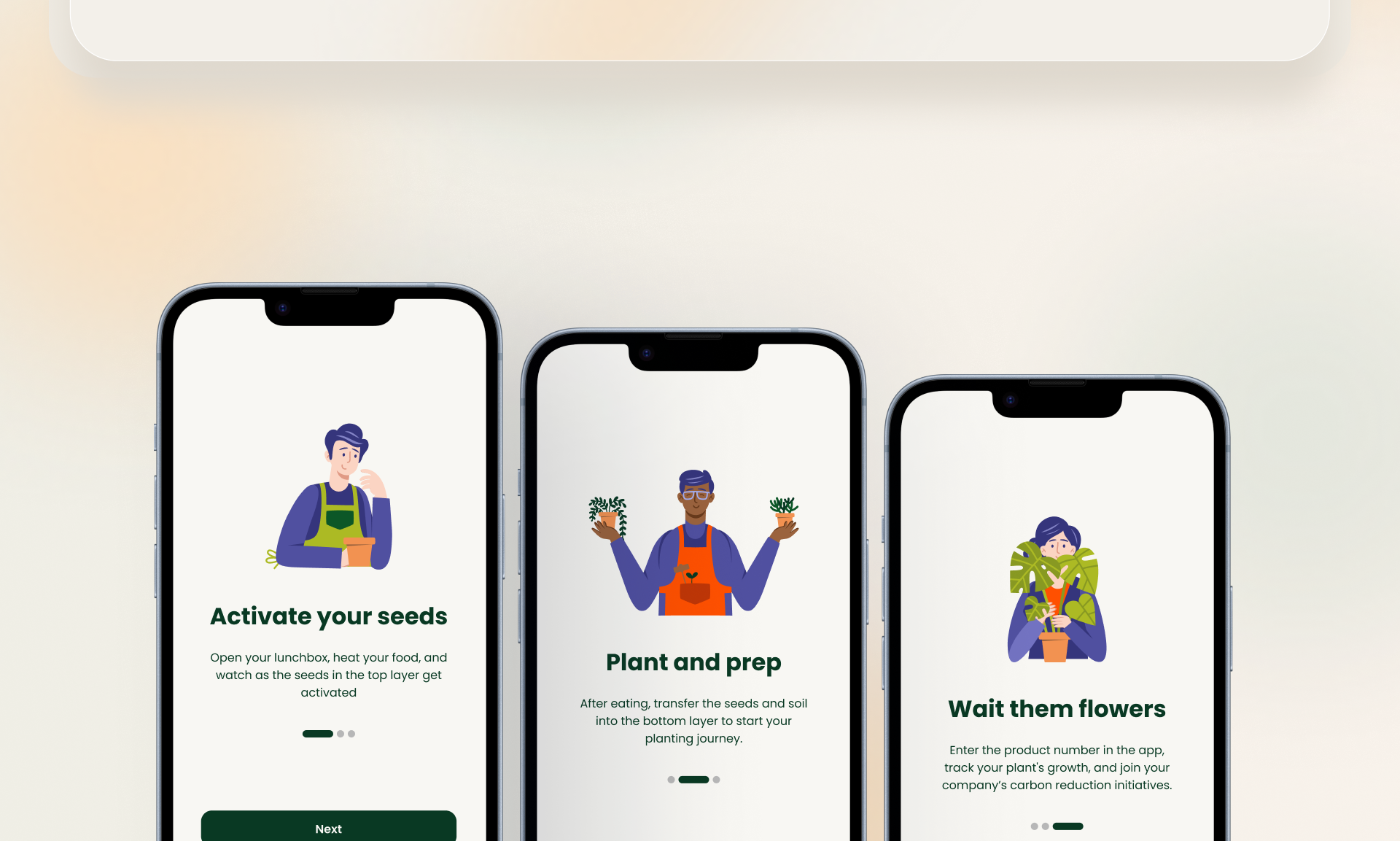
Onboarding tutorial
Growth monitoring with photos
Location-based planting tips
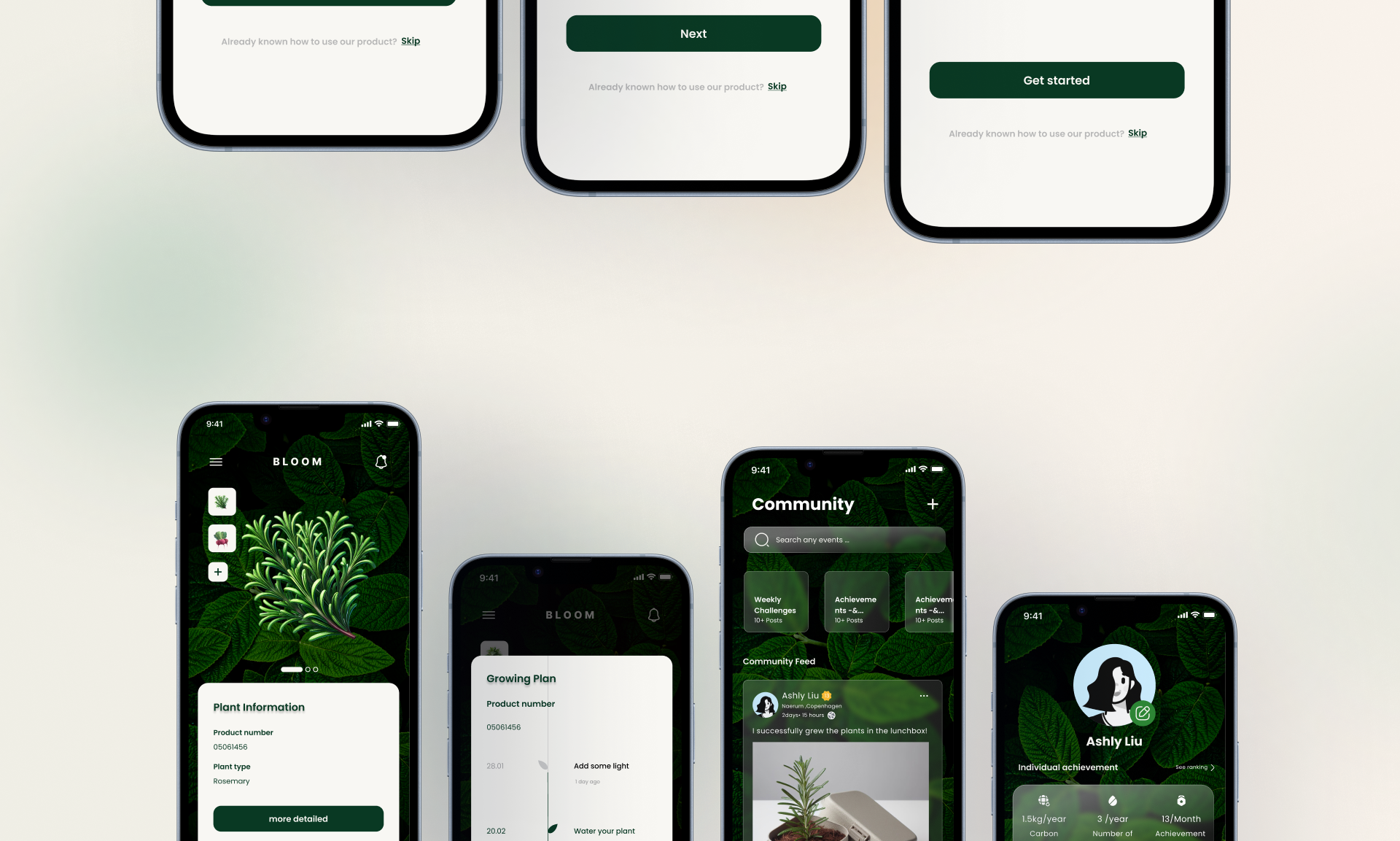
Community & challenges
Impact tracking and rankings
Information Architecture
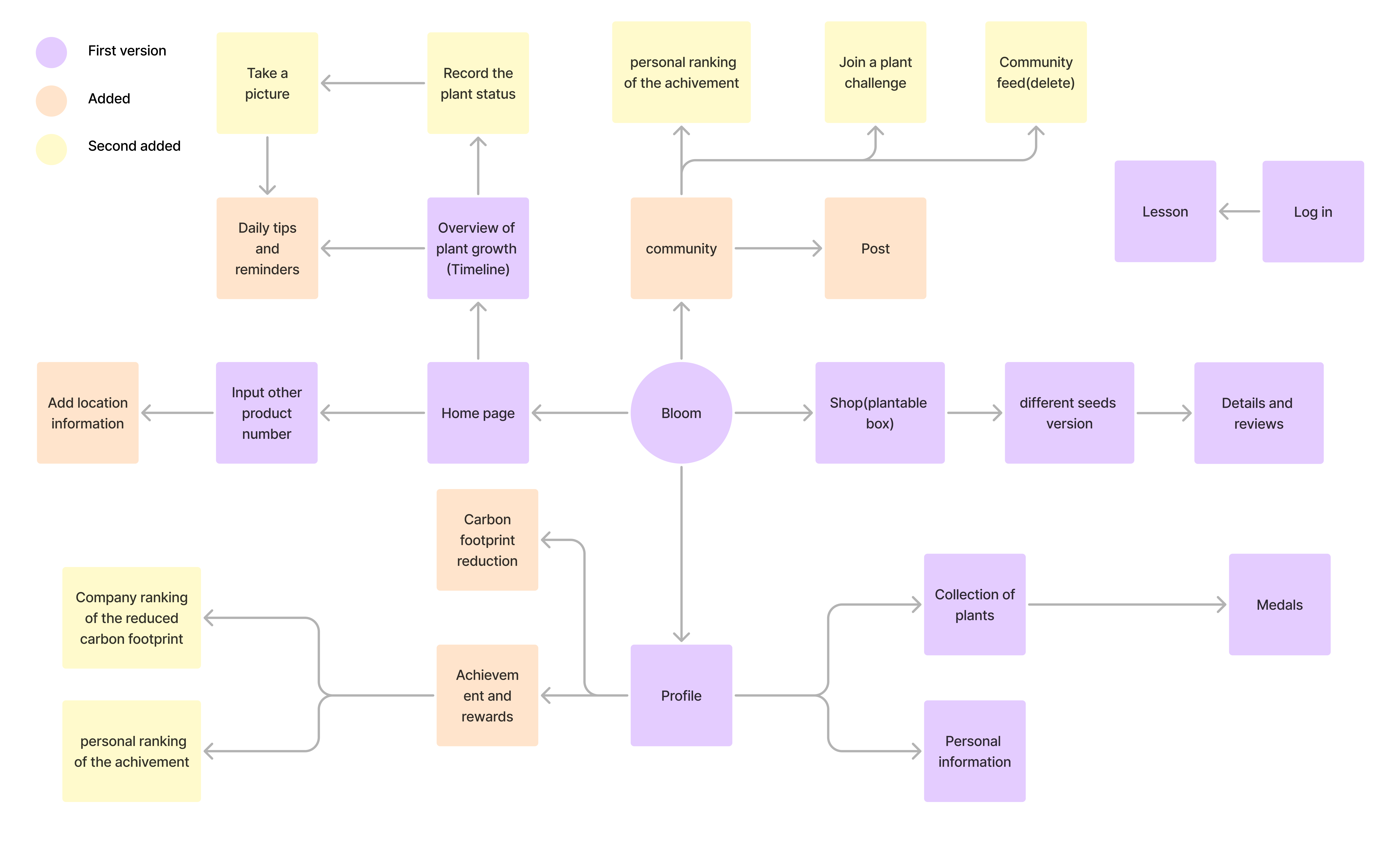
Before releasing the first version of the prototype, our team went through three iterations of the information architecture, as shown in the diagram.
Prototyping & Iterations
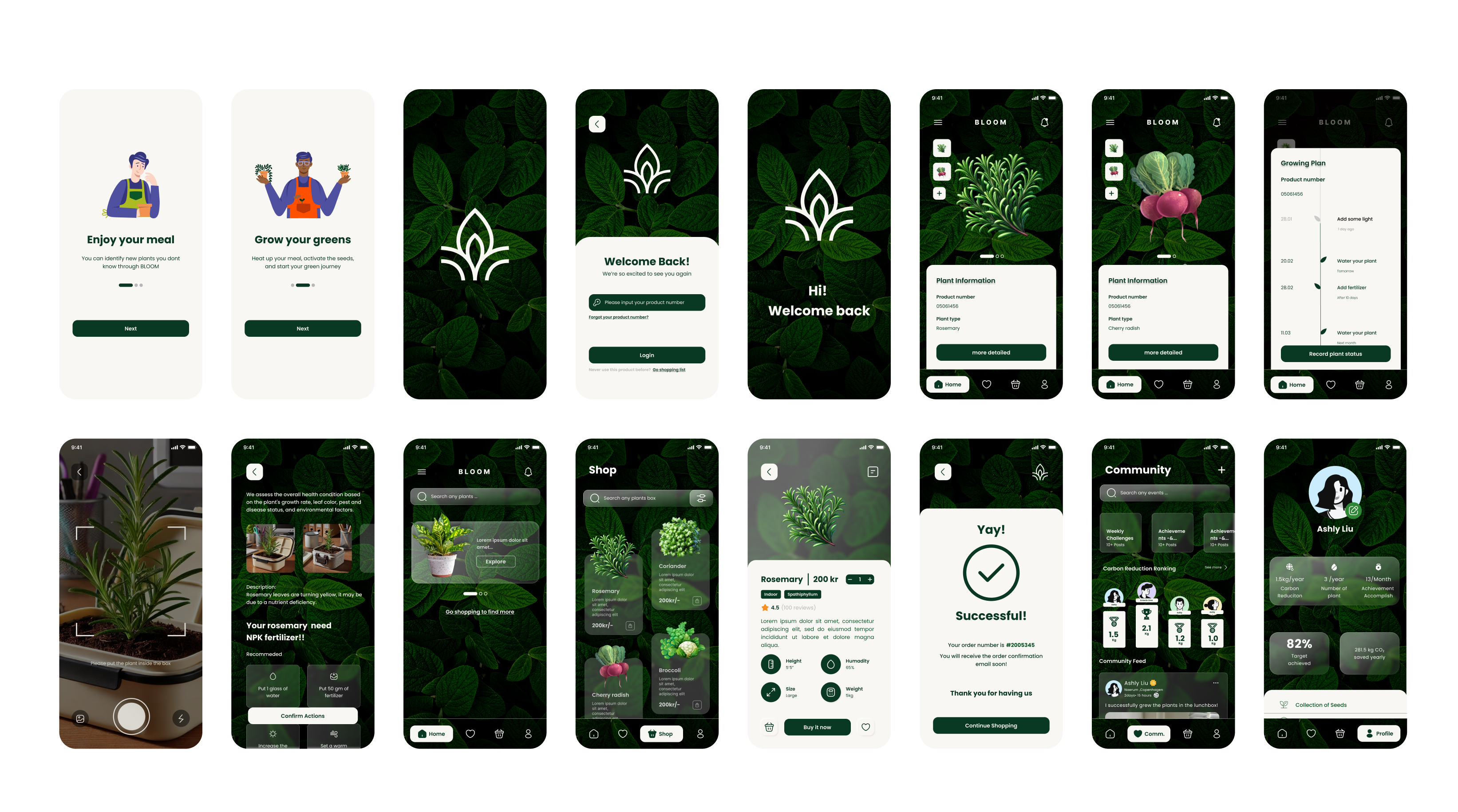
The first prototype
Usability Test
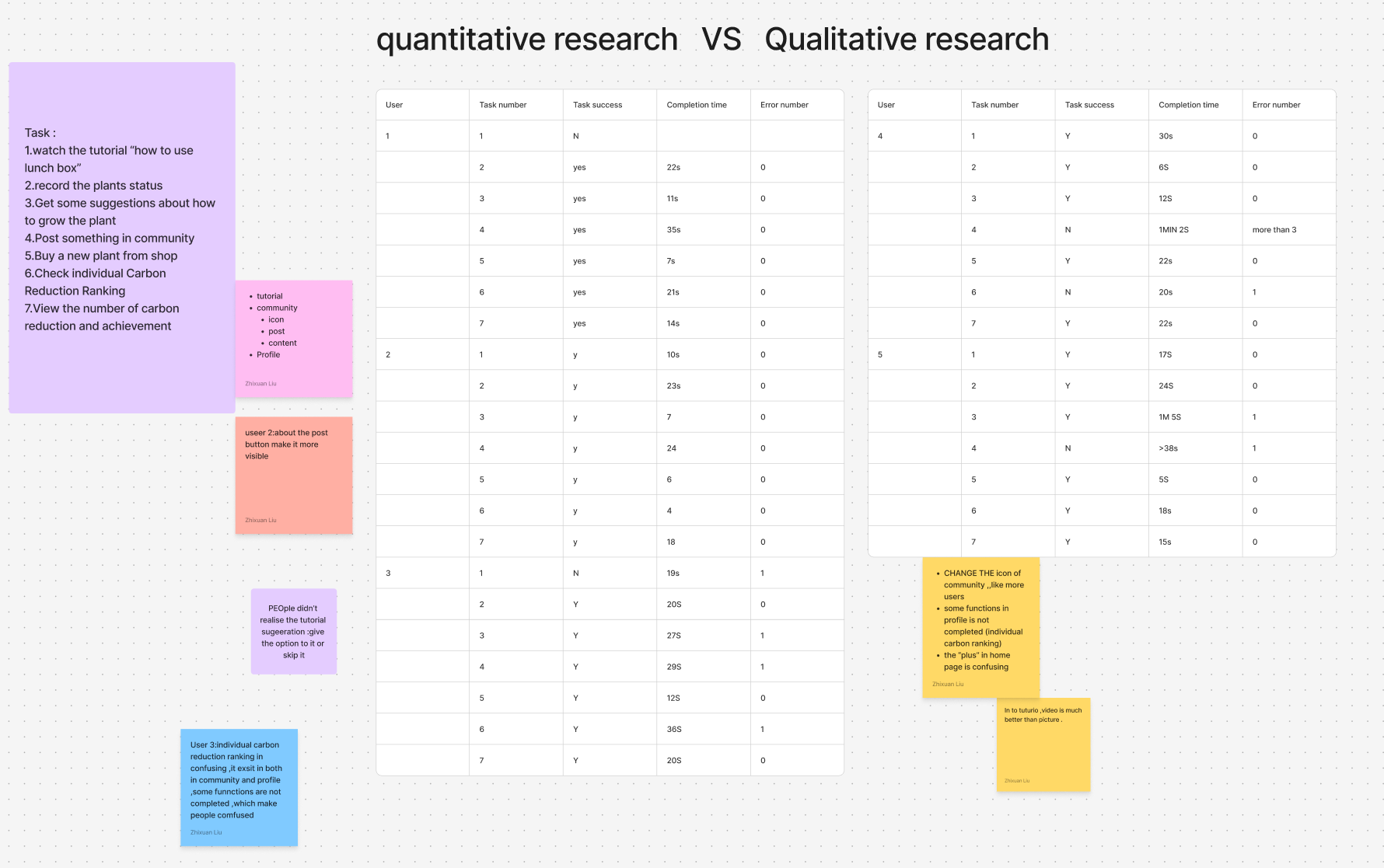
Method: Think-aloud test with 7 participants.
Metrics: task success, time on task, error count.
Findings:
Some users didn’t notice the tutorial.
The post button in the Community wasn’t visible enough.
Carbon-reduction rankings appeared in both Community and Profile, which confused people.
Updates:
Added a clearer entry point and “Skip tutorial” option.
Increased contrast and hover feedback to make the primary action stand out.
Moved rankings to Profile only and simplified the layout.
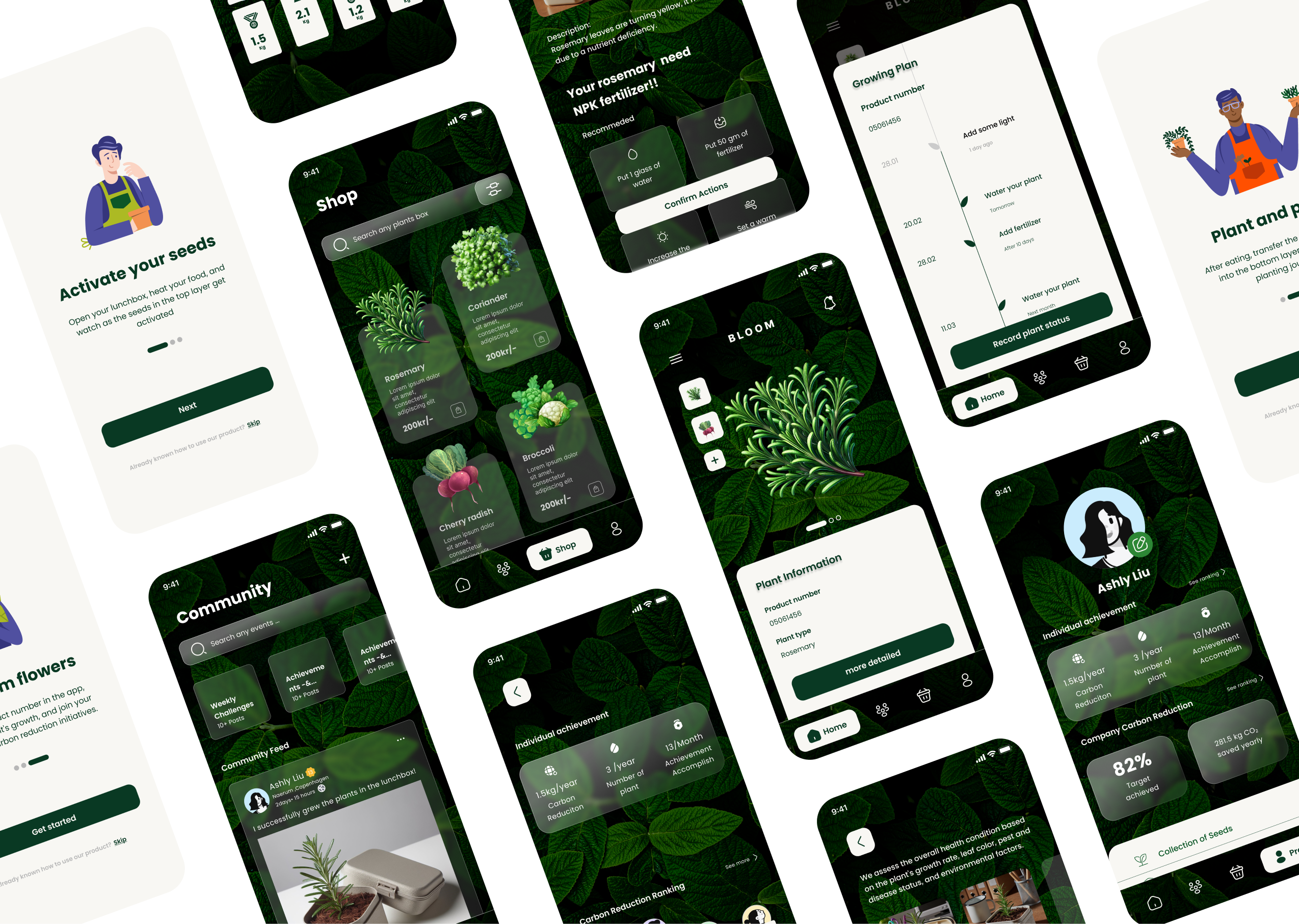
Final Prototype Overview
What I learned
,
How to connect business goals (sustainability KPIs) with UX decisions instead of just making a “nice” interface.
How to design for a physical–digital product: the lunchbox and the app have to tell one consistent story.
How to use lightweight research (survey, competitor matrix, user stories) to quickly shape scope and features in a student project.
If I had more time, I would validate Bloom with real companies, refine the business model and prototype the employee & HR dashboards.
.png)
.png)